Technical Guide
Make a Hayward Super Pump Smarter with Sonoff + Home Assistant
Published March 2026 • 12 min read
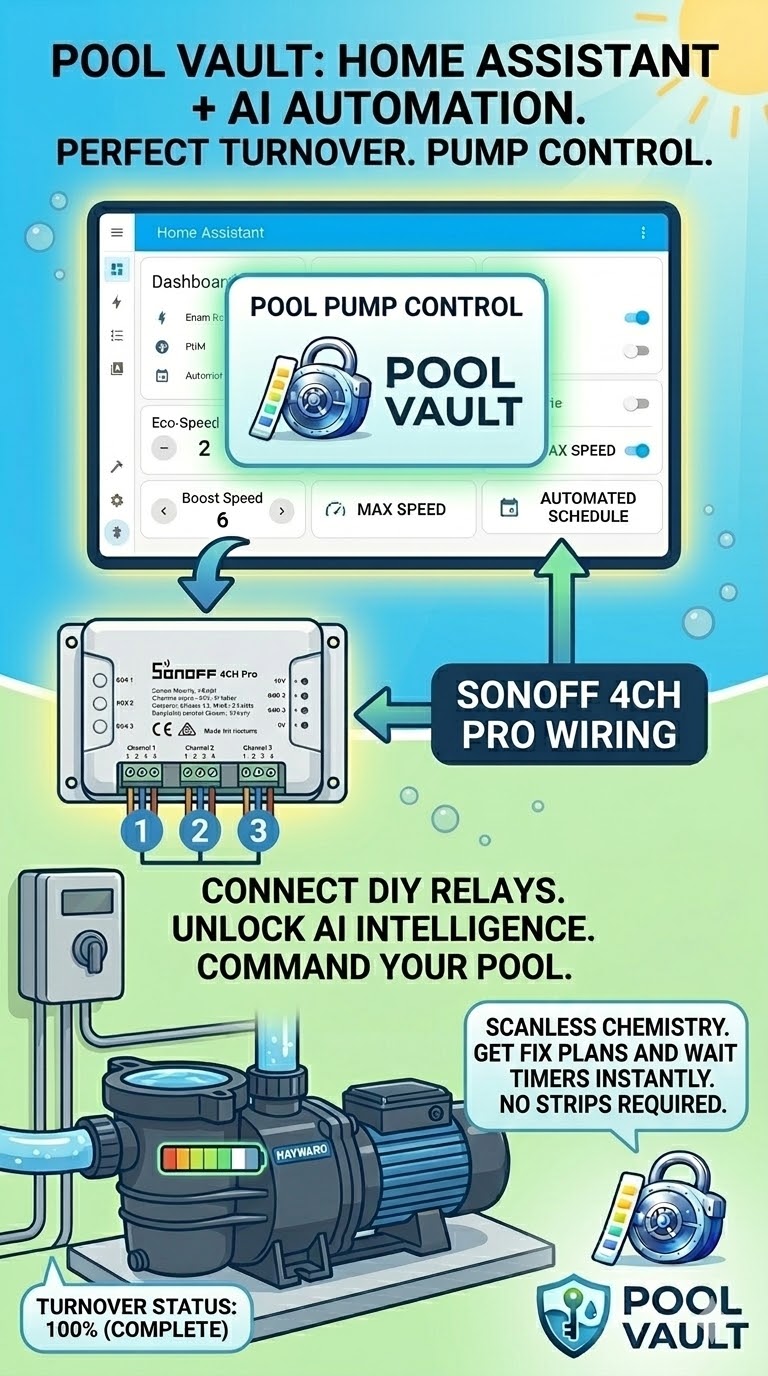
This guide covers a full relay-control integration for the Hayward VS SuperPump 700 using a Sonoff 4CH Pro and Home Assistant. The goal is reliable remote speed control, predictable turnover, and a documented maintenance workflow tied back to Pool Vault.
System objective
We are using Sonoff relays as dry-contact signal gates to feed control voltage to pump inputs (INP1/INP2/INP3). Home Assistant handles automations and schedule logic. Pool Vault stores equipment metadata, service history, and exported records.
Hardware bill of materials
- Pump: Hayward VS SuperPump 700 (external relay input capable)
- Relay: Sonoff 4CH Pro (4-channel relay, dry-contact behavior)
- Power: 15V 2A DC power supply
- Control wiring: 18-22 AWG minimum, 300V insulation minimum
Electrical architecture (core concept)
The architecture uses a shared ground reference. Sonoff COM receives +15V. Sonoff NO contacts route +15V to pump inputs when channels are activated. Pump COM is tied to power supply negative.
- PSU +15V → Sonoff COM on CH1/CH2/CH3
- PSU -15V (ground) → Pump COM
- Sonoff CH1 NO → Pump INP1
- Sonoff CH2 NO → Pump INP2
- Sonoff CH3 NO → Pump INP3
- Sonoff CH4 unused
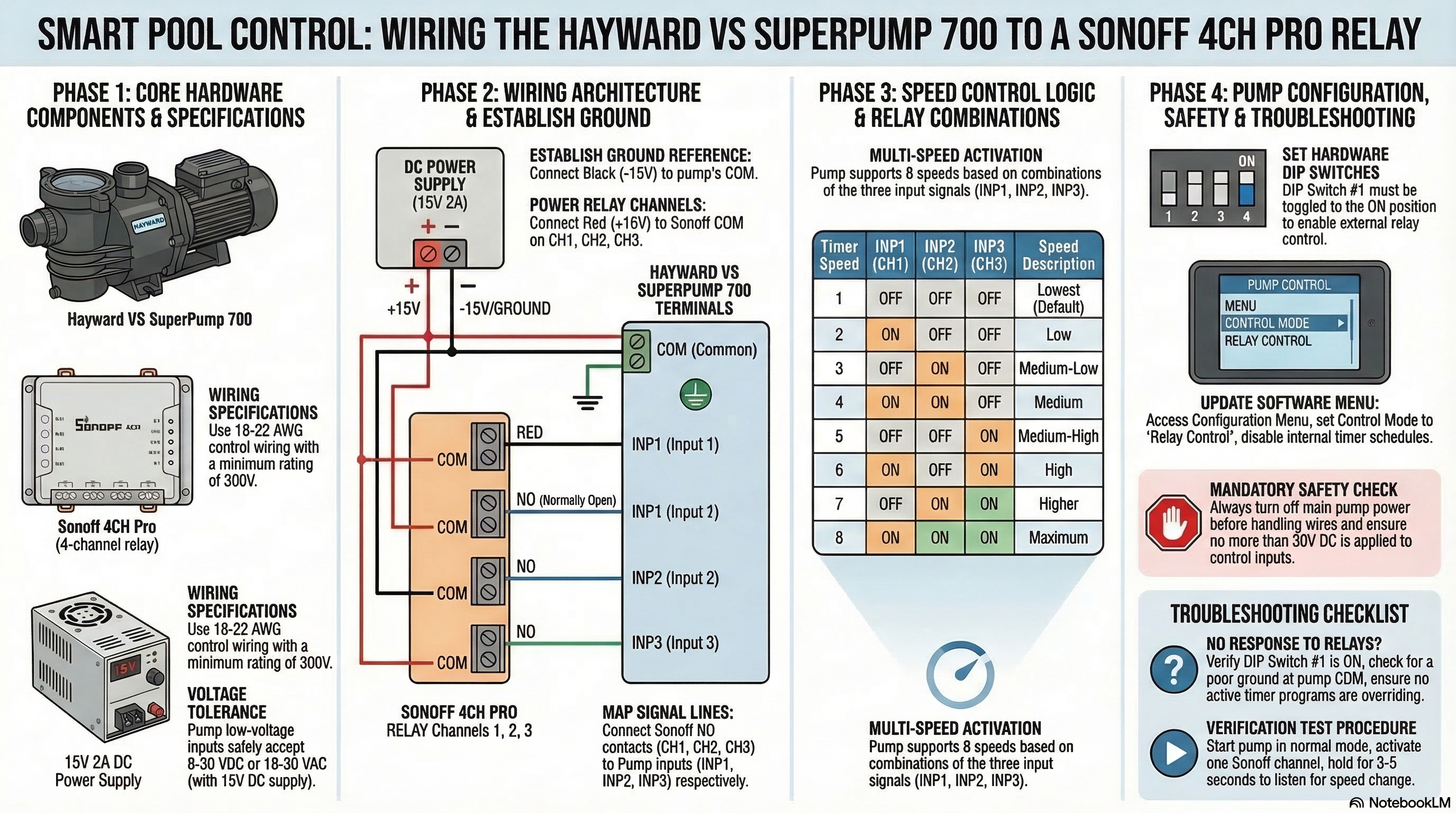
Speed control logic (8 combinations)
| Timer Speed | INP1 | INP2 | INP3 | Result |
|---|---|---|---|---|
| 1 | OFF | OFF | OFF | Lowest (default) |
| 2 | ON | OFF | OFF | Low |
| 3 | OFF | ON | OFF | Medium-low |
| 4 | ON | ON | OFF | Medium |
| 5 | OFF | OFF | ON | Medium-high |
| 6 | ON | OFF | ON | High |
| 7 | OFF | ON | ON | Higher |
| 8 | ON | ON | ON | Maximum |
Mandatory pump configuration
- DIP switch #1: set to ON (required for external relay control)
- Control mode: set to Relay Control
- Timers: disable/clear internal schedules
- Restrictions: remove speed range limits
- State: test only in normal Run mode
Home Assistant workflow
In Home Assistant, expose CH1/CH2/CH3 as switch entities and create speed presets using deterministic combinations. Keep a short debounce/transition delay between state changes to avoid overlapping relay signals.
- Activate only required channels for each speed profile
- Hold state for 3-5 seconds during manual validation
- Wait 5-10 seconds before changing to another profile
- Use schedule automations for turnover windows and boost cycles
Troubleshooting protocol
Phase 1: connection verification
- Confirm PSU -15V on pump COM
- Confirm PSU +15V bridged to Sonoff COM terminals
- Confirm Sonoff NO landed on INP1/INP2/INP3
Phase 2: voltage verification
- Measure 15V at PSU output
- Measure 15V from pump COM to supply positive
- When channel active, measure 15V from pump COM to active INP
Phase 3: configuration verification
- DIP #1 is ON
- Relay Control mode active
- Internal timers disabled
Gold-standard isolation test
If relays appear correct but speeds do not change, isolate Sonoff and perform a manual jumper test: apply +15V directly to INP1 (with pump COM tied to -15V). If no response, issue is pump-side configuration/firmware/service, not relay wiring.
Safety and legal caution
High-voltage hazard: Disconnect mains power before touching control wiring.
- Never exceed 30V DC on control inputs.
- Use 18-22 AWG minimum, 300V-rated insulated wiring.
- Follow local electrical code and manufacturer documentation.
- Use a licensed electrician if you are not qualified for low/high-voltage integration work.
This article is educational and informational only. You are responsible for your own wiring, configuration, and safety compliance.
Tie-in: Pool Vault operational ledger
After wiring and configuration, use Pool Vault as your documentation system:
- Log pump model, serial, install date, and warranty in Equipment
- Track service events (backwash, inspections, technician notes) in Maintenance Log
- Create recurring verification tasks (wiring check, relay test cadence)
- Export service reports for support calls and seasonal records
Keep control and documentation in one workflow
Use Home Assistant for automation logic and Pool Vault for equipment records, service history, and exportable maintenance reporting.
Download on the App Store